Stop blasting. Start pacing.
HubSpot workflows fire all at once by default. Pace spreads enrollments out by count and interval — so your sequences feel intentional, your APIs don't get rate limited, and your workflows stay stable.

Set it in your workflow.
Pace does the rest.
Pace is a native HubSpot custom code workflow action. Add it to any workflow, set your batch size and delay, and every record that enrolls gets paced automatically — forever.
 Pace · HubSpot CRM Card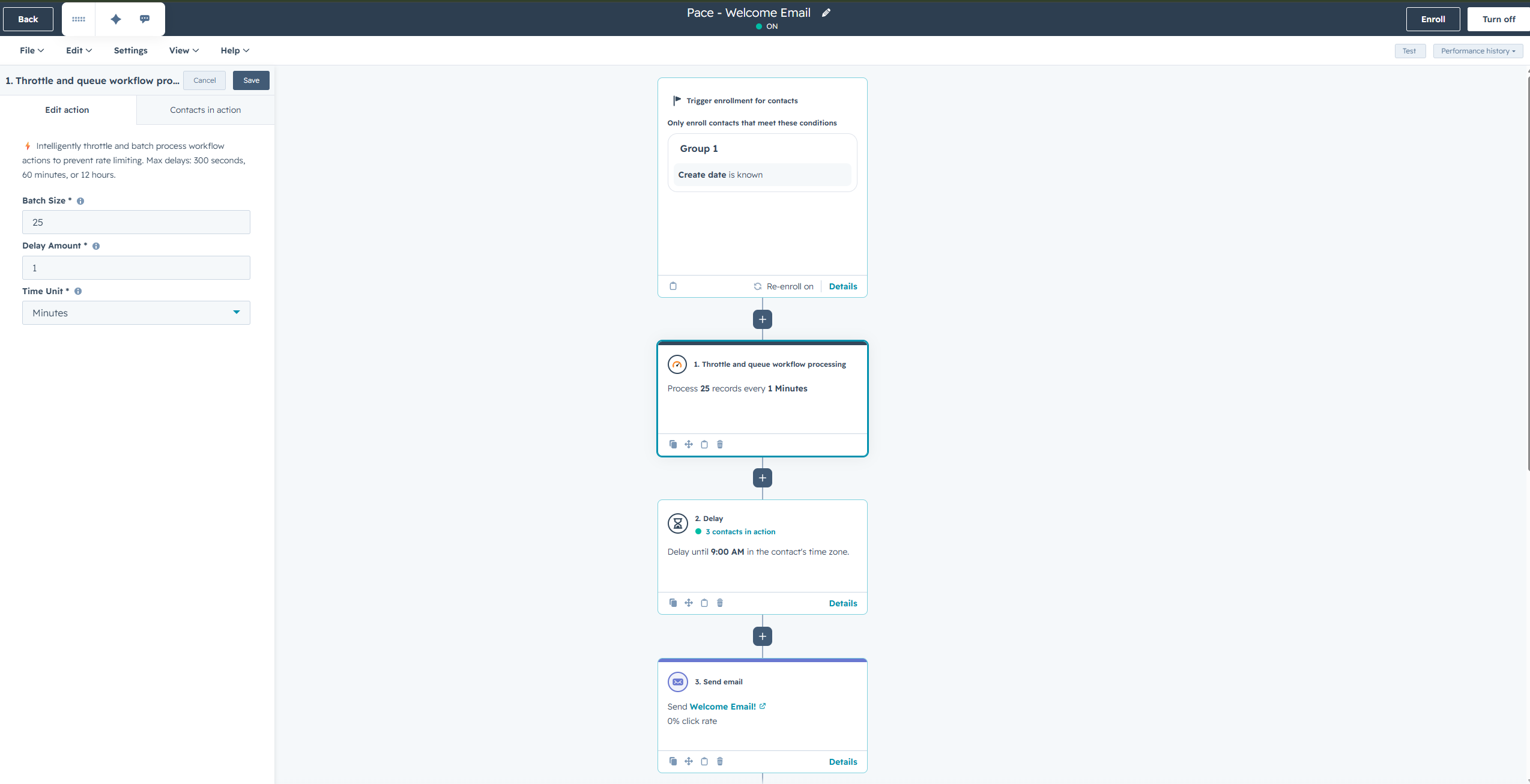
Every pacing scenario
covered.
Real examples of how Pace transforms workflow timing from overwhelming to controlled. Click each card to see the configuration.
Add it to your workflow. Done.
Pace lives inside your HubSpot workflow as a custom code action. Set your batch size and delay once — Pace handles the timing automatically for every enrollment, forever.
Add Pace to Your Workflow
Install Pace from the HubSpot Marketplace, then add it as a custom code action in any workflow. Takes about 2 minutes and requires no API setup.
About 2 MinutesSet Your Batch Size & Delay
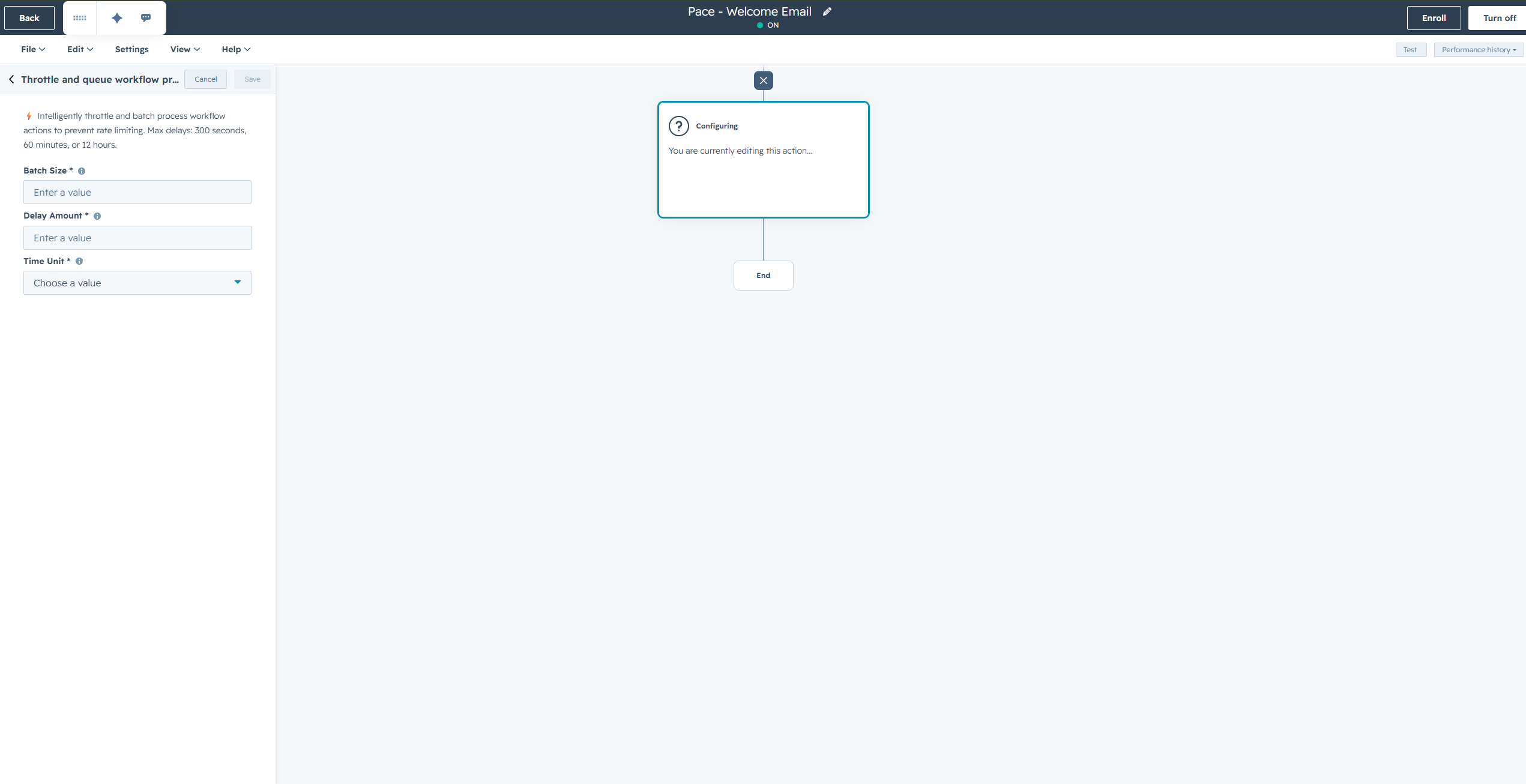
Choose how many records to process at once (1–100) and how long to wait between batches (seconds to weeks). That's the entire configuration — there's nothing else to set up.
Two Fields. That's It.Pace Controls All Future Enrollments
Every record that enrolls in your workflow automatically gets paced at the timing you set. No ongoing maintenance, no monitoring required — it just works.
Runs Forever AutomaticallyEnterprise infrastructure. Zero maintenance.
Pace runs on proven, scalable technology trusted by millions of applications worldwide. You'll never think about it — and that's exactly the point.
Lightning-Fast Caching
Ultra-fast in-memory data processing ensures your workflow pacing requests are handled with instant queue processing times, no matter the volume.
Instant Queue ProcessingGlobal Cloud Infrastructure
Rock-solid reliability and 99.9% uptime backed by AWS's world-class infrastructure and security standards. Scales automatically with your volume.
Enterprise SecurityServerless Architecture
Built on AWS Lambda for automatic scaling and zero maintenance. Handles any volume of pacing requests without configuration or capacity planning.
Infinitely ScalableStart Free. Scale as You Grow.
200 free paces every day. Upgrade as your volume grows. Every plan includes all features — pricing is based purely on your daily pace volume.
Important: If you enroll more records than your daily plan limit, those records will be processed immediately by HubSpot rather than held. Holding records beyond your plan limit would effectively provide unlimited throttling for free — upgrade your plan to keep all records throttled. Review the docs page for full details on plan limits and how throttling works.
Pace Pricing Dashboard- Smart Pacing Controls
- All HubSpot Object Types
- Batch Processing (1–100)
- Flexible Delays
- Email Support
- Smart Pacing Controls
- All HubSpot Object Types
- Batch Processing (1–100)
- Flexible Delays
- Email Support
- Smart Pacing Controls
- All HubSpot Object Types
- Batch Processing (1–100)
- Flexible Delays
- Priority Support
Calculate Your Engagement ROI
Natural pacing improves email open rates by 25–40% and reduces spam complaints.
Frequently Asked Questions
Compare All Plans
| Feature | Free | Starter | Professional | Enterprise |
|---|---|---|---|---|
| Daily Paces | 200 | 5,000 | 20,000 | 40,000 |
| Monthly Paces | 6,000 | 150,000 | 600,000 | 1,200,000 |
| Smart Pacing | ||||
| All Object Types | ||||
| Batch Processing | 1–100 | 1–100 | 1–100 | 1–100 |
| Flexible Delays | ||||
| Support | Priority | Dedicated |
Ready to start controlling your workflow timing? Install free from the HubSpot Marketplace. Add Pace to your workflow in under 2 minutes. Set it and forget it.
Install Pace FreeHubSpot fires all at once.
Pace makes it intentional.
Install free, add Pace to any workflow, set your batch size and delay. That's it — your workflows run naturally from that moment forward.