Home Install Documentation Support Marketplace Get Consultation
5.0 on the HubSpot Marketplace · 40+ installs
View on Marketplace →

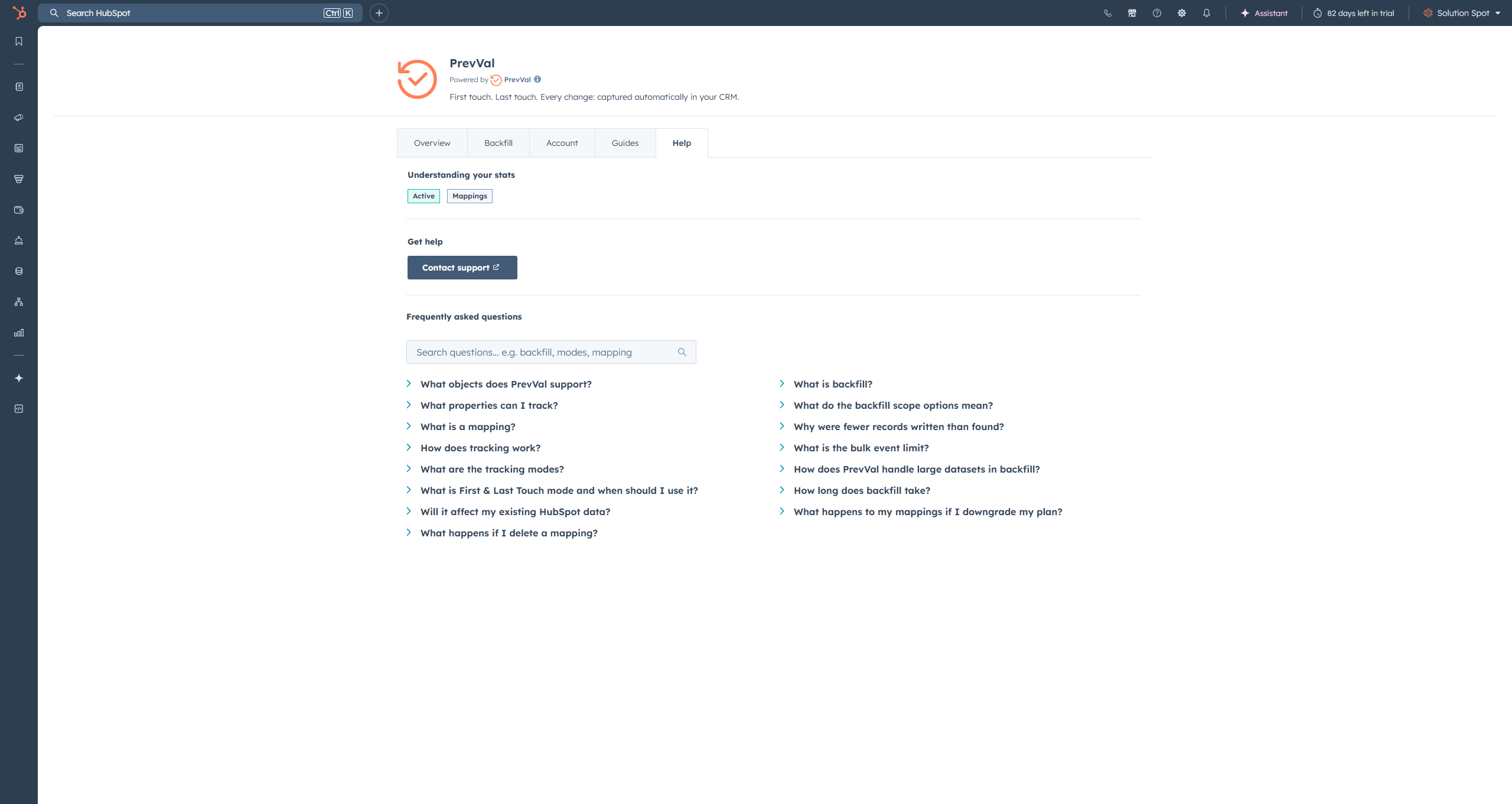
First touch. Last touch. Every change: captured automatically in your CRM.

Know where every deal started, catch when it regressed, and lock in the original lead source forever. PrevVal writes every change to a native HubSpot property the moment it happens. No workflows, no code, no maintenance.

2
Free Mappings
5+
Object Types
3min
Setup Time
PrevVal Logo PrevVal · HubSpot CRM Card
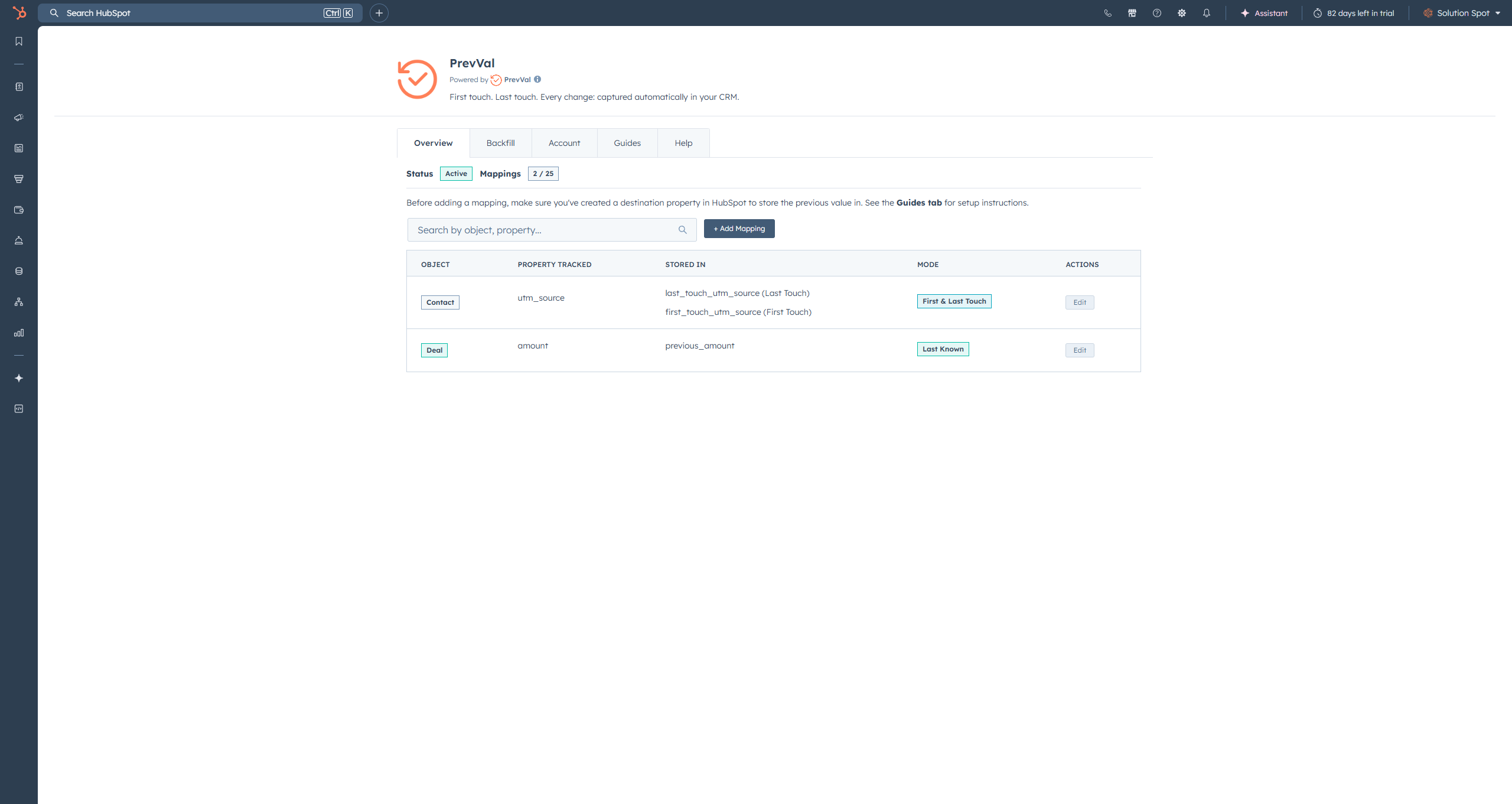
PrevVal Overview
Click to expand

Available in HubSpot App Marketplace
Official Marketplace App
Set It and Forget It
Free Plan Available
Custom Objects Supported

The Data You Always Wished HubSpot Kept.

HubSpot shows you where a record is. PrevVal shows you where it's been. Click each card to see the setup and result.

UTM Attribution

Lock In the Original UTM Source

First and Last Touch permanently captures which campaign generated the lead — even after the source changes months later.

Deal Regression

Catch Deals Moving Backwards

Surface records where the previous stage was further along. Catch pipeline regression before deals fall out entirely, not after.

Discount Tracking

Catch Last-Minute Discounting

Track deal amount and compare what it was before close. Surface deals quietly discounted at the finish line before they erode your numbers.

Close Date Slippage

See When a Deal Close Date Slipped

PrevVal captures the previous close date every time it moves. Filter your pipeline where previous close date is known — those are your at-risk deals.

Ownership History

Eliminate Commission Disputes

Know exactly who owned a record before the last reassignment without digging through activity logs or relying on anyone's memory.

Funnel Leakage

See Where Your Funnel Is Leaking

Track lifecycle stage and find contacts that bounced backwards. Use First and Last Touch to see where a contact started and what stage it dropped from.

Install. Map. Done.

Add a mapping, choose your mode, and PrevVal handles everything from that moment forward. No workflows, no code, no maintenance — ever.

Add a Mapping

Pick a Property, Pick a Mode

Choose which property to track, select one of four tracking modes, and pick where to store the result. That's the entire setup. PrevVal takes it from there, automatically, forever.

Automatic Tracking

Every Change. Captured the Moment It Happens.

The moment a property changes in HubSpot, PrevVal writes the result to your destination property. First touch, last touch, or anything in between — it just works.

Use It Anywhere in HubSpot

A Native Property — Not a Silo

Every change lands in a real HubSpot property. Filter lists, build reports, trigger workflows, segment by first touch source — it behaves exactly like any other field in your CRM.

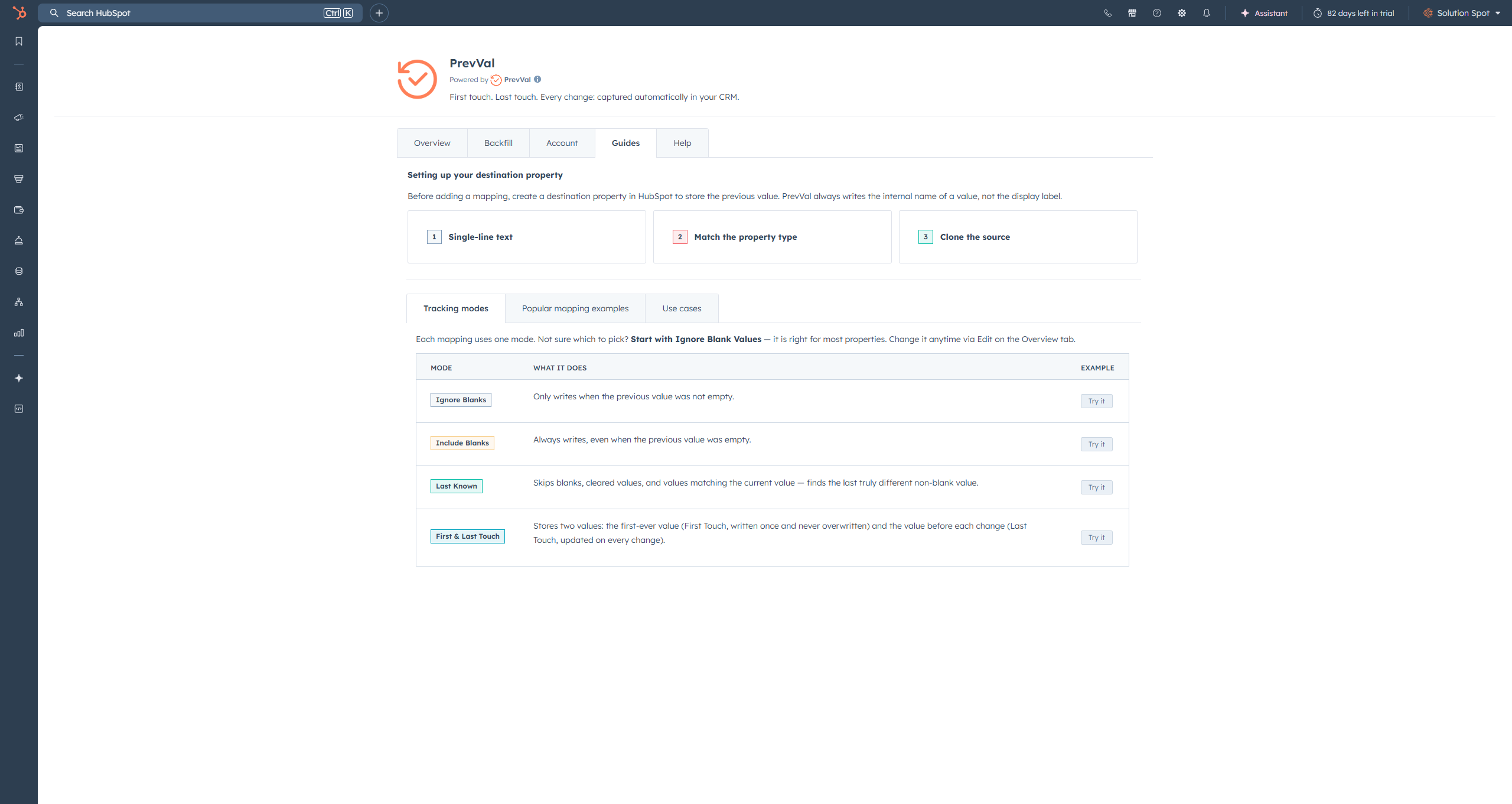
Choose your tracking mode

Reliable by Design. Invisible by Default.

PrevVal runs quietly in the background on enterprise-grade infrastructure. You will never think about it — and that is exactly the point.

Always On

99.9% Uptime

Built on AWS with automatic scaling. Whether your team has 10 property changes a day or 10,000, PrevVal processes every single one without breaking a sweat.

Fast

Tracks Changes Within Minutes

Once a property changes in HubSpot, PrevVal picks it up and writes the previous value within a couple of minutes. Backfills process at a steady pace depending on dataset size — just kick it off and let it run.

Secure

Your Data Stays in HubSpot

PrevVal uses secure OAuth to read and write properties. Previous values are stored directly in your HubSpot portal — we never store your CRM data externally.

Simple Pricing

Start Free. See Value Instantly. Scale as You Grow..

Every plan includes automatic change tracking across Contacts, Companies, Deals, Tickets, and Custom Objects. All four tracking modes available on Professional and above.

Free forever — no credit card required. Install from the HubSpot Marketplace, add your first mapping, and PrevVal starts tracking in under 3 minutes.

PrevVal PrevVal Pricing Dashboard
Pricing Plans ROI Calculator FAQs Compare Plans
NO CREDIT CARD

✨ Start Free — 2 Mappings Included ✨

Perfect for testing. Set up your first tracking rule in under 3 minutes. Upgrade anytime.

Free Forever
$0/mo
2 mappings  ·  Ignore Blank Values only
  • Contacts, Companies, Deals, Tickets & more
  • Live property change tracking
  • 50 events / 60 seconds
  • Email support
Start Free
Enterprise
$79/mo
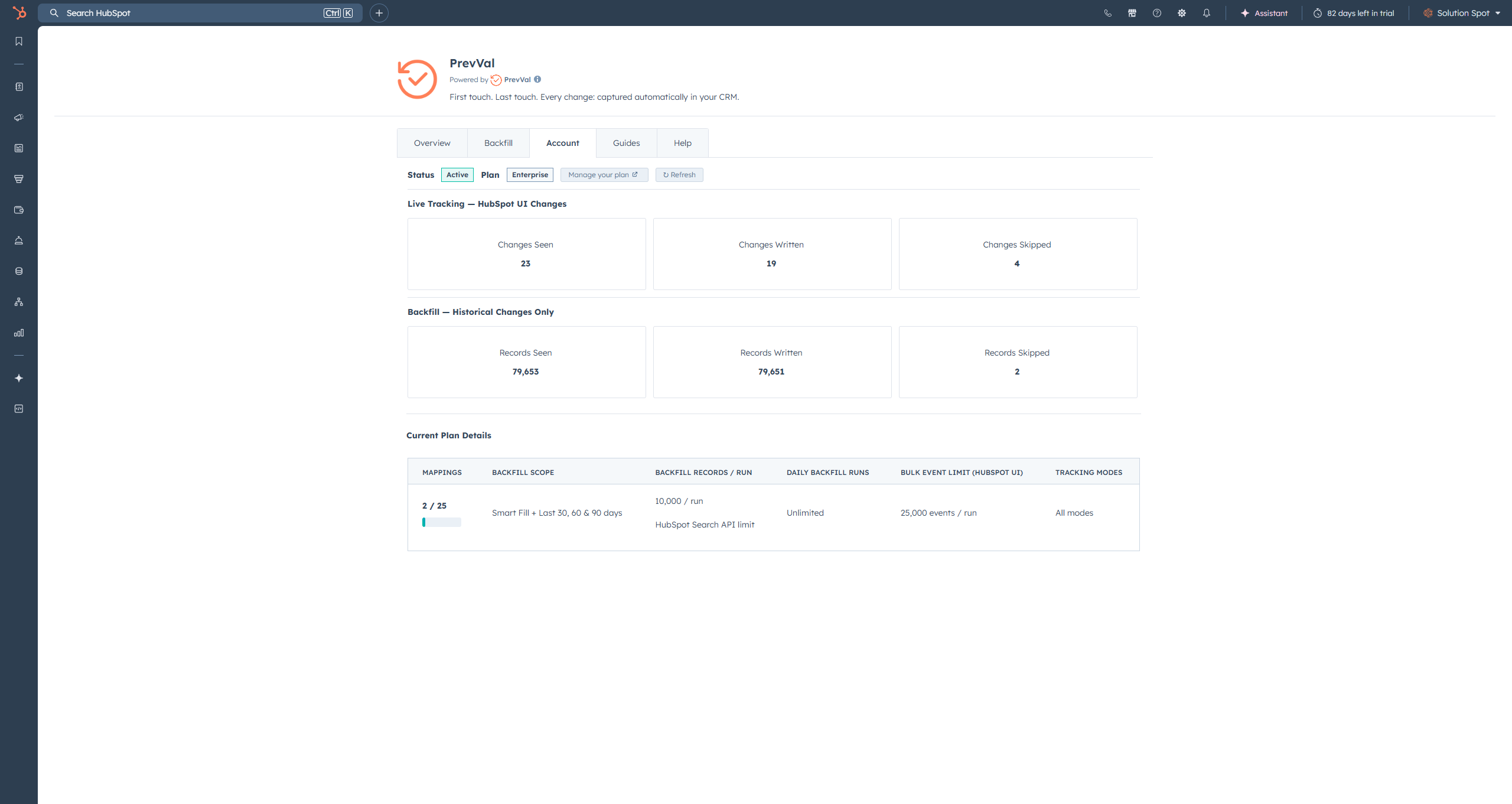
25 mappings  ·  All 4 modes
  • Contacts, Companies, Deals, Tickets & more
  • All 4 tracking modes including First & Last Touch
  • Backfill — last 30, 60 & 90 days (10 runs/day)
  • Unlimited manual record backfill
  • 1,000 events / 60 seconds
  • Priority support
Get Enterprise

Need 25+ Mappings or Unlimited Runs?

Custom plans starting at $149/mo with unlimited daily backfill runs, 50 mappings, and dedicated account management.

Without PrevVal vs. With PrevVal

Sound familiar? These are the exact problems PrevVal was built to solve.

Without PrevVal
A deal closes at $82k. It was $95k last week. Nobody flagged the discount.
HubSpot shows the lead came from Direct. Your Google Ads campaign gets zero credit.
A deal moves from Contract Sent back to Appointment Scheduled. It just looks like a normal open deal.
Commission dispute. Two reps claim the same deal. No record of who owned it before reassignment.
Close date pushed again. You have no idea if this is the second time or the fifth.
With PrevVal
Previous Amount is $95k. The $13k drop is visible in any HubSpot report before the deal closes.
First Touch Source is permanently locked as google-cpc from day one — no matter what the source changes to later.
Previous Stage is Contract Sent. Filter your pipeline by this and instantly surface every regressed deal.
Previous Owner is on the record. Who owned it before the reassignment is a single property lookup.
Previous Close Date is known. Any deal where this field is populated has slipped. That is your at-risk list.
No workflows to build or maintain
Works on any HubSpot property
Data lives in your CRM natively
Start free, upgrade as you grow

Frequently Asked Questions

What is PrevVal?
PrevVal is a HubSpot marketplace app that automatically captures property changes across your CRM. When a property changes, PrevVal writes the old value to a destination property you choose — instantly, automatically, and permanently. No workflows, no code. Just install, add a mapping, and it runs itself.
How does PrevVal work?
You add a mapping inside the PrevVal app — select which property to track, choose a tracking mode, and pick where to store the result. From that point forward, every time the source property changes in HubSpot, PrevVal captures the value and writes it to your destination property. Typically within a minute of the change.
What are the four tracking modes?
Ignore Blank Values — writes the previous value only when it was not empty. The default and best starting point for most properties like deal stage, owner, or close date.

Include Blank Values — always writes the previous value, even when it was blank. Use this when deliberately clearing a field is itself a meaningful event worth recording.

Preserve Last Known — finds the last truly different non-blank value. It skips blanks, cleared values, and values that match the current value. So if a deal is currently $10,000 and the history shows "", $10,000, "", $5,000 — it skips the blanks and the duplicate $10,000 and writes $5,000. Best for amount fields and anything that fluctuates or gets temporarily wiped.

First & Last Touch — stores two values simultaneously using two destination properties. First Touch locks in the very first value ever and is never overwritten. Last Touch updates on every change. Best for UTM source, lead source, and lifecycle stage origin tracking.
What is First & Last Touch mode and when should I use it?
First & Last Touch is a premium mode that captures two values at once using two destination properties. First Touch is written the very first time a value is detected and is never overwritten — giving you a permanent record of the origin. Last Touch updates on every change, always holding the value right before the most recent one. Use it for UTM source tracking, lead source attribution, lifecycle stage origin, or any case where knowing where something started is as important as knowing what it was last.
Which objects and properties can I track?
PrevVal works with Contacts, Companies, Deals, Tickets, and Custom Objects. You can track any standard or custom text, number, date, or dropdown property. If HubSpot has a history of it, PrevVal can track it.
Do I need to build any workflows?
No. PrevVal runs independently — no workflow actions, no custom code, no API configuration. Just install from the HubSpot Marketplace, add your first mapping, and you are done. The whole setup takes about 3 minutes.
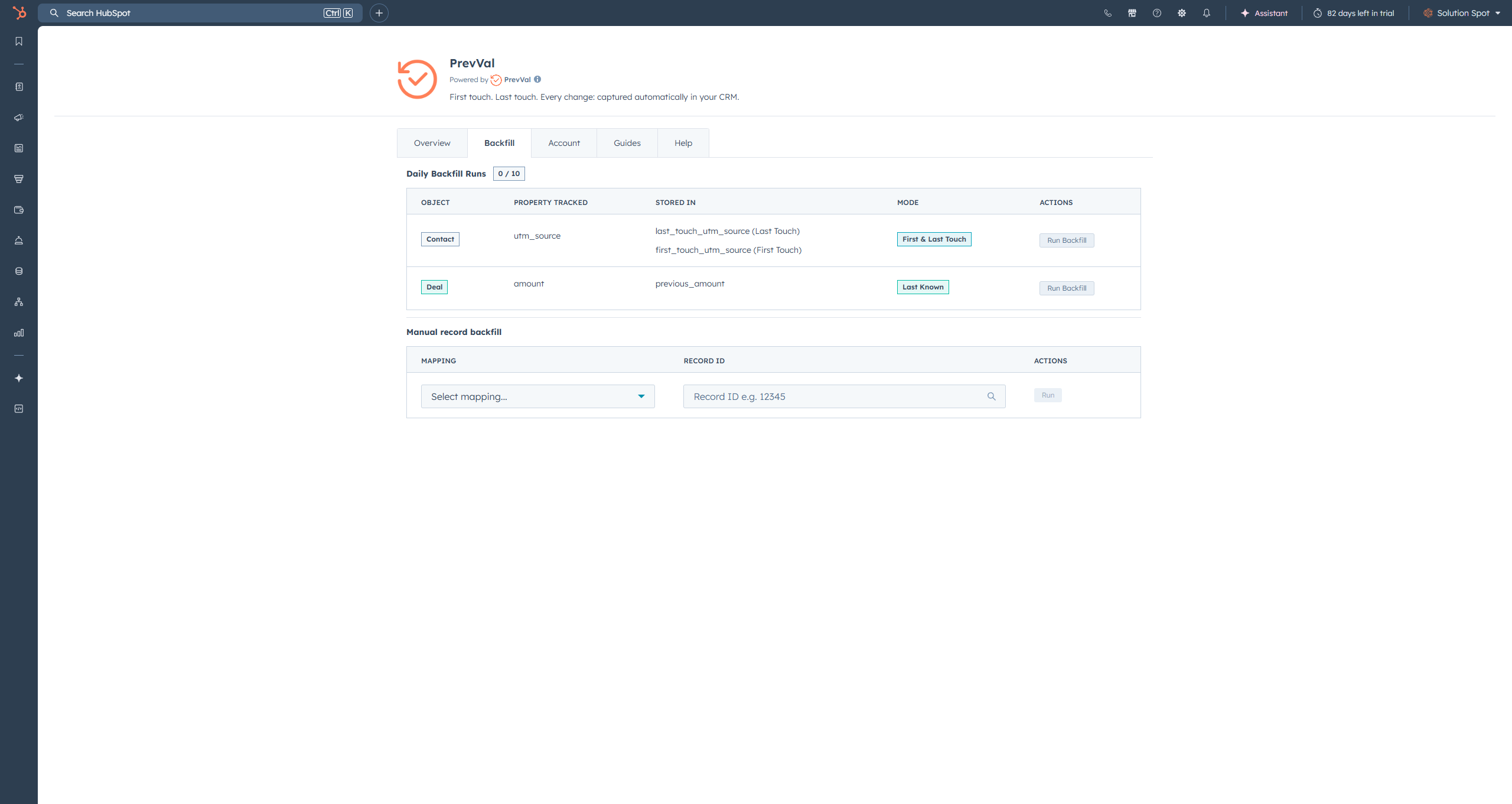
What is backfill and do I need it?
Backfill reads your existing HubSpot property history and populates previous values for records that already existed before you installed PrevVal. It is optional — PrevVal starts tracking automatically from the moment you add a mapping. Backfill just fills in the past. Available on Professional and above.
What destination property should I create?
The easiest approach is to clone the property you are tracking in HubSpot and rename it. For example, clone dealstage and rename it Previous Deal Stage. All the dropdown options and internal values are already built in. For First & Last Touch you need two destination properties — one for First Touch and one for Last Touch. A single-line text property works for any source type if you just want the raw value.
Will it affect my existing HubSpot data?
No. The only properties PrevVal ever writes to are the ones you set up as destinations in your mappings. Every other property in your portal is untouched. Your existing data is completely safe.
Can I use tracked values in HubSpot reports and lists?
Yes — that is the whole point. Because PrevVal writes to a native HubSpot property, every value it captures is immediately available in reports, lists, workflows, and views. Filter deals where previous stage was Contract Sent. Build a report on contacts where first touch source is google-cpc. Segment by previous owner. It all works natively without any extra configuration.
What is the event limit and what happens if I exceed it?
The event limit is the maximum number of property changes PrevVal can receive within a 60-second window. If that limit is exceeded, the entire batch is dropped for that window — PrevVal does not process partials. On paid plans, those events are deferred to the backfill queue and processed later. On the Free plan there is no backfill, so any events over the limit are dropped entirely.

Free — 50 events / 60 seconds (over limit = dropped)
Professional — 500 events / 60 seconds (over limit = deferred to backfill)
Enterprise — 1,000 events / 60 seconds (over limit = deferred to backfill)

Normal day-to-day CRM usage will never hit this limit. If you are regularly exceeding your plan limit it is most likely a bulk operation — reach out and we can help.

Compare All Plans

Feature Free Professional Enterprise
Mappings 2 10 25
Tracking Modes Ignore Blank Values only All 4 modes All 4 modes
First & Last Touch
Backfill Last 30 days Last 30, 60 & 90 days
Daily Backfill Runs 3 / day 10 / day
Manual Record Backfill Unlimited Unlimited
Event Limit (per 60s) 50 500 1,000
Custom Objects
Support Level Email Priority Priority
PrevVal

Ready to Start Capturing Every Change?

Install free from the HubSpot Marketplace. Add your first mapping in under 3 minutes. Set it and forget it.

Install PrevVal Free

HubSpot overwrites values. PrevVal remembers every one

Install free, add a mapping, and PrevVal starts tracking automatically. No workflows. No code. No maintenance. Just the data you always wished HubSpot kept.